Free Adobe and Office alternatives: the ArtCraft apps
Pros and cons of PhotoCraft, WordCraft, GridCraft and six more: ArtCraft's free, open-source, community-built alternatives to Adobe and Microsoft apps.
RaadCraft Engineering · · 10 min read
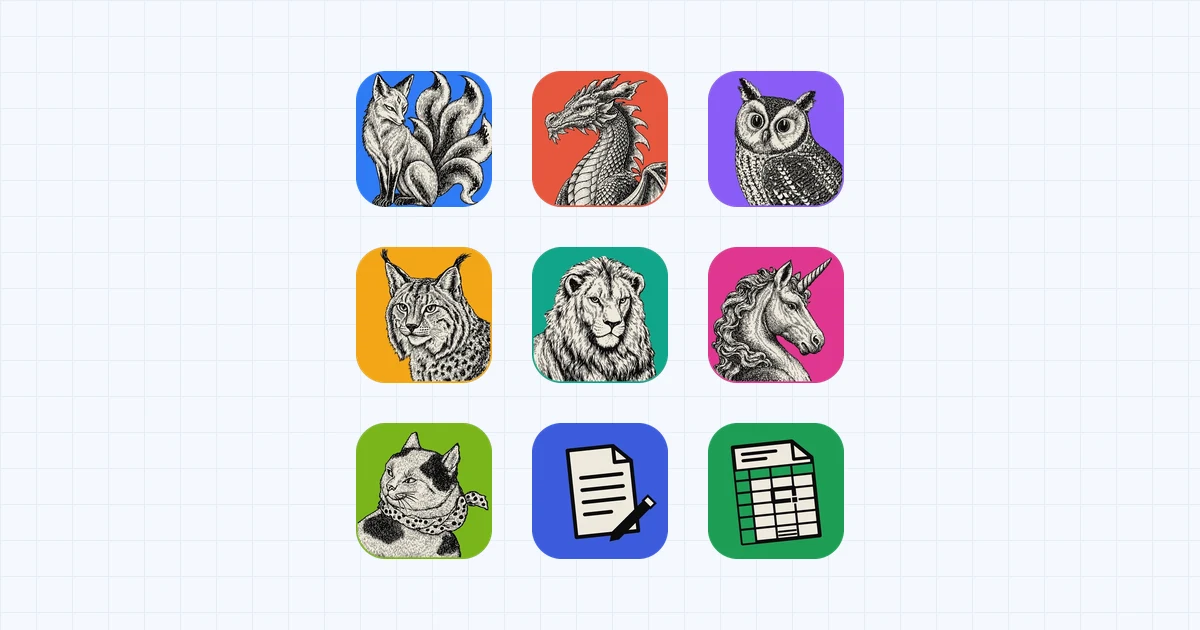
ArtCraft's Crafting Apps include free, open-source alternatives to seven Adobe Creative Cloud applications and to Microsoft Word, Excel and PowerPoint. The repositories were created between 30 September and 7 October 2026 and have grown quickly since. As of 16 October, the nine apps covered here had between 59 and 312 contributors each on GitHub, and more than 850 different people had contributed to at least one of them. PhotoCraft, the Photoshop alternative, had close to 65,000 stars.
All of the apps are written in Rust. They run natively on Windows, macOS, Linux and FreeBSD, compile to a browser build, and closely follow the menus, shortcuts and dialogs of the applications they replace. The first versions relied heavily on AI coding agents: PhotoWorkout reported that the original seven apps were generated with Claude Opus 5.5 running eight AI agents in parallel. Development has since become a community effort. The code is under a permissive licence, anyone can contribute, and contributors work to published rules.
This review draws on the repositories, the project's own parity reports, and independent testing. It covers what each app replaces, where it is already useful, and where it still falls short as of mid-October 2026.
The apps at a glance
| App | Replaces | Version | Contributors | Readiness, by the project's own estimate |
|---|---|---|---|---|
| PhotoCraft | Photoshop | 0.9.0 | 312 | Not yet suited to daily professional work |
| VectorCraft | Illustrator | 0.12.0 | 134 | About 65% |
| FilmCraft | Premiere Pro | 0.8.0 | 107 | About 56% |
| LightCraft | Lightroom | 0.8.0 | 158 | About 61% |
| PdfCraft | Acrobat Pro | 0.8.0 | 217 | About 55% for everyday work |
| EffectCraft | After Effects | 0.10.0 | 91 | About 45% |
| DesignCraft | InDesign | 0.8.0 | 90 | About 47% |
| WordCraft | Word | 0.7.0 | 139 | About 60% |
| GridCraft | Excel | 0.7.0 | 59 | About 50% |
Versions and contributor counts are taken from GitHub as of 16 October 2026; the counts include commit authors without a linked GitHub account. The readiness figures are self-assessments published in each repository's README or parity documents, not independent measurements, and they are notably candid. Related apps cover PowerPoint (DeckCraft), AutoCAD, Pro Tools and Figma.
Strengths
Free, open source and open to contributors
Every app is dual-licensed under MIT or Apache-2.0, at the user's option, so anyone can use, modify and redistribute the code, including for commercial purposes. Anyone can also contribute through the public GitHub repositories. Most of them direct contributors to an AGENTS.md file, and several READMEs summarise its rules as clean-room development, an asset policy and quality gates. LightCraft's README notes that "humans and agents follow the same rules". FilmCraft's contributing guide also rules out GPL and LGPL code, and treats crashes as unacceptable: production code may not panic or use unsafe Rust.
Each app's copyright notice names the ArtCraft Team and that app's contributors. One restriction applies to forks: the ArtCraft name, wordmark and logos are trademarks outside the code licence, and forks and modified versions must remove them.
None of the apps requires a subscription. GridCraft promises "no subscription, no licence server, no telemetry", and LightCraft describes itself as local-first, with "no account, no cloud, no telemetry, no subscription". ArtCraft's commercial offering is separate: its pricing page sells credit plans for AI image and video generation in the ArtCraft studio, and does not mention the Crafting Apps.
Familiar workflows and real file formats
The apps reproduce the originals' workflows deliberately. PhotoCraft's README states: "If you know Photoshop, you already know PhotoCraft."
File compatibility is a particular strength. PhotoCraft opens, edits and saves layered PSD files, and the project reports that re-saving preserves the rendered result for 307 of the 309 files in the public psd-tools test set. WordCraft reads and writes .docx, GridCraft uses .xlsx as its native format, VectorCraft handles SVG, PDF and PDF-compatible .ai files, and DesignCraft imports and exports IDML. When Office Watch tested the Office alternatives with its own Microsoft 365 documents, the files "opened and edited without any trouble", apart from some Excel functions.
Native apps on every platform
The apps are native Rust programs with GPU-rendered egui interfaces, rather than Electron or web-view wrappers. PhotoCraft composites its canvas on the GPU through wgpu, using copy-on-write tiles and multithreaded filters, and WordCraft reports that typing in a 188-page document re-lays it out in about 1.4 ms. Current releases include installers for Linux and FreeBSD as well as Windows and macOS.
Built for automation
Every menu item, tool and dialog maps to a named command: more than 500 in PhotoCraft and 422 in WordCraft. Each app exposes these commands through a command-line tool and an MCP server, so scripts and AI agents can batch-process images or generate documents with the same engine a person uses.
Transparent documentation
Each repository publishes a parity checklist, a list of known gaps and its own readiness estimate, and the estimates are often unflattering. That candour makes the apps considerably easier to evaluate.
Limitations
Early-stage software
Eight of the apps are labelled alpha, and DesignCraft is pre-alpha. PhotoCraft moved from repository creation on 30 September to version 0.9.0 on 14 October, and as of 16 October it had about 2,500 open issues and pull requests. Frequent releases deliver fixes quickly, but they also carry a risk of regressions.
No generative AI or plug-in support yet
The largest gaps are in the newest features. PhotoCraft's README names AI and generative features as its biggest gap, alongside 15 missing tools, typography depth and plug-in compatibility. FilmCraft hosts no VST3, Audio Units or OpenFX plug-ins, and LightCraft's subject and sky selection still relies on classical heuristics.
File fidelity in real projects
The round-trip results come from test corpora, and production files are more varied. FilmCraft cannot yet open Premiere .prproj projects, and PhotoWorkout notes that none of the apps imports a Lightroom catalog cleanly. Office Watch found no evidence that VBA macros run: WordCraft preserves them in .docm files, but "keeping them is not the same as running them". The same review identifies file fidelity as "the biggest risk", since a document that looks correct in WordCraft can break in subtle ways when a colleague opens it in Word. GridCraft's roadmap also lists fidelity on real-world .xlsx files as open work.
None of the nine READMEs mentions real-time co-authoring, which matters for teams that edit shared Microsoft 365 documents together.
Performance on large projects
FilmCraft lists speed on big footage among its biggest gaps: Lumetri colour, keying and export rendering still run on the CPU. GridCraft names very large workbooks and multi-threaded recalculation among its next priorities.
Maintenance, code quality and legal questions
Critics quoted by Born City questioned the quality of AI-generated code and the project's capacity for long-term maintenance. The growing contributor base spreads that work, though unevenly. On PhotoCraft, the three most active contributors account for less than a quarter of commits, but on most of the other apps the top three still account for more than half. Whether quality holds up will depend on how well contributions are reviewed and tested.
The apps describe themselves as clean-room reimplementations, built from public specifications and observed behaviour. A legal expert cited by Born City said this approach may support a non-infringement argument, while noting that rights holders could still take legal action. Microsoft had not commented at the time of that report.
App-by-app assessment
PhotoCraft: Photoshop alternative
PhotoCraft edits layered PSD files that survive a round trip in the project's tests, and opens PSB, 16 and 32-bit, CMYK and Lab documents. It supports smart objects, masks and adjustment layers, with a GPU-rendered canvas.
By the project's own assessment, it is "not yet a Photoshop replacement for daily professional work". Generative fill is absent, and 15 tools are still missing. The README also cautions that having every Photoshop menu item wired to a command "measures wiring, not behaviour".
VectorCraft: Illustrator alternative
About 88% of Illustrator's menu items, tools, effects and formats exist in VectorCraft, according to the project, and everyday vector work is close to usable: pen and path tools, Pathfinder, Shape Builder, gradients and type. It handles SVG, PDF, PDF-compatible .ai, EPS and DXF files, and opens Affinity documents.
The project estimates feature depth at about 75% and readiness at about 65% for a mainstream illustrator. Affinity files can be opened but not saved.
FilmCraft: Premiere Pro alternative
FilmCraft covers about 86% of Premiere Pro's menus, effects, transitions, panels and formats, by the project's count. It decodes video in hardware on macOS and Windows, and on Linux for H.264 and HEVC. Premiere sequences can be brought across as FCP7 XML, AAF or OTIO exports.
Its readiness estimate is about 56%. It cannot open .prproj files and does not host plug-ins. H.264 is its only software delivery codec, H.265 export requires a hardware encoder, and AV1 export is not yet available. The project also notes that Windows and Linux receive far less testing than macOS.
LightCraft: Lightroom alternative
LightCraft keeps a local catalog with no account, cloud service or telemetry. It handles JPEG, DNG and most Sony, Panasonic, Fujifilm, Nikon and older Canon raw files, and the project counts about 81% of Lightroom's features, rising to 98% for core features.
The project puts overall readiness at about 61%, and at about 51% for a typical working photographer. Camera colour calibration is incomplete, compressed Olympus raws and some CR3 variants fall back to their embedded previews, and HDR display, video, and the Print, Book and Map modules are absent. Lightroom catalogs cannot yet be migrated cleanly.
PdfCraft: Acrobat Pro alternative
PdfCraft supports viewing, commenting, filling and signing forms, and organizing pages. Its README states that "every everyday workflow can be completed", and puts its coverage of Acrobat's must-have features at 94%.
It rates itself at about 55% for everyday work. Office-to-PDF conversion is missing, and exporting to Word does not preserve the layout.
EffectCraft: After Effects alternative
About 91% of After Effects' features exist in EffectCraft in some form, according to the project. It exports ProRes, HEVC and AV1, WebM with transparency, and 32-bit EXR sequences, and its web build runs the full application in a browser.
At about 45%, its readiness estimate is the lowest of the nine apps reviewed here. For motion-graphics professionals, it is one to monitor rather than adopt for now.
DesignCraft: InDesign alternative
DesignCraft imports and exports IDML, reads INDD files through a companion tool, and exports PDF/X-4, PDF/A-2b, EPUB and editable PowerPoint files.
It is the only app labelled pre-alpha, at about 47% ready for real jobs. Its parity report estimates 420 to 750 "Opus 5.5 agent-hours" of work to reach beta, an unusual view into how an AI-assisted open-source project plans its roadmap.
WordCraft: Microsoft Word alternative
WordCraft follows Word's ribbon and shortcuts. It reads and writes .docx, imports legacy .doc files, handles ODT, RTF, HTML, Markdown and LaTeX, and exports PDFs with selectable text. Track changes, citations in APA, MLA, Chicago and IEEE styles, and mail merge are included. Spelling and grammar checks run offline, and the interface is available in more than 20 languages.
The project estimates it is about 60% of the way to replacing Word. Before beta, it still needs testing against real-world .docx files, pagination closer to Word's, a stability review and native printing. Spelling and grammar support currently covers English and Polish only.
GridCraft: Microsoft Excel alternative
GridCraft uses .xlsx as its native format, including dynamic arrays, tables, conditional formats, charts and PivotTables. It implements 513 of Excel's 523 worksheet functions, including LET and LAMBDA, and supports Flash Fill.
Its readiness estimate is about 50%. Fidelity with real-world .xlsx files, very large workbooks, multi-threaded recalculation and chart depth remain on the roadmap. Legacy .xls workbooks open with their values, formulas and number formats only, and Office Watch encountered Excel functions it could not handle.
Who should use them today
The apps are a reasonable choice today for students and hobbyists, for Linux and FreeBSD users who want these workflows natively, and for anyone who needs to open the occasional PSD, .docx or .xlsx file without paying for a subscription. Developers who need scriptable image or document processing should look at the command-line tools and MCP servers, and anyone who wants to shape the tools can contribute directly through the repositories.
They are not yet suited to client work on a deadline, to teams that co-author in Microsoft 365, or to workflows that depend on plug-ins, Lightroom catalogs, Premiere projects or VBA macros.
For evaluation, Office Watch recommends a spare machine or virtual machine, and working only on copies of files. It also notes that the installers are code signed, and that each release publishes SHA256 checksums for verification. For a mature free office suite today, the same review points to LibreOffice and ONLYOFFICE.
What the project shows about AI and open source
The Crafting Apps began with AI agents generating a broad first version. Hundreds of commands and dozens of file formats were in place within about two weeks of the first repositories appearing.
The project's own figures show where the remaining effort lies. Most of the apps report that roughly 80 to 90 percent of the original's features exist, while their readiness estimates sit between 45 and 65 percent. That gap consists of file fidelity, performance on large inputs, edge cases, and testing against files the authors have never seen. AI agents made breadth inexpensive. Depth still depends on people who test against real work, review changes and report what breaks, and more than 850 people have now contributed to these nine repositories.