- Privacy
- SoloBook
How SoloBook keeps a private diary private
A diary with a lock is only as private as the code behind it. How SoloBook encrypts entries and photos on the phone, and exactly what leaves it.
RaadCraft Engineering · · 6 min read
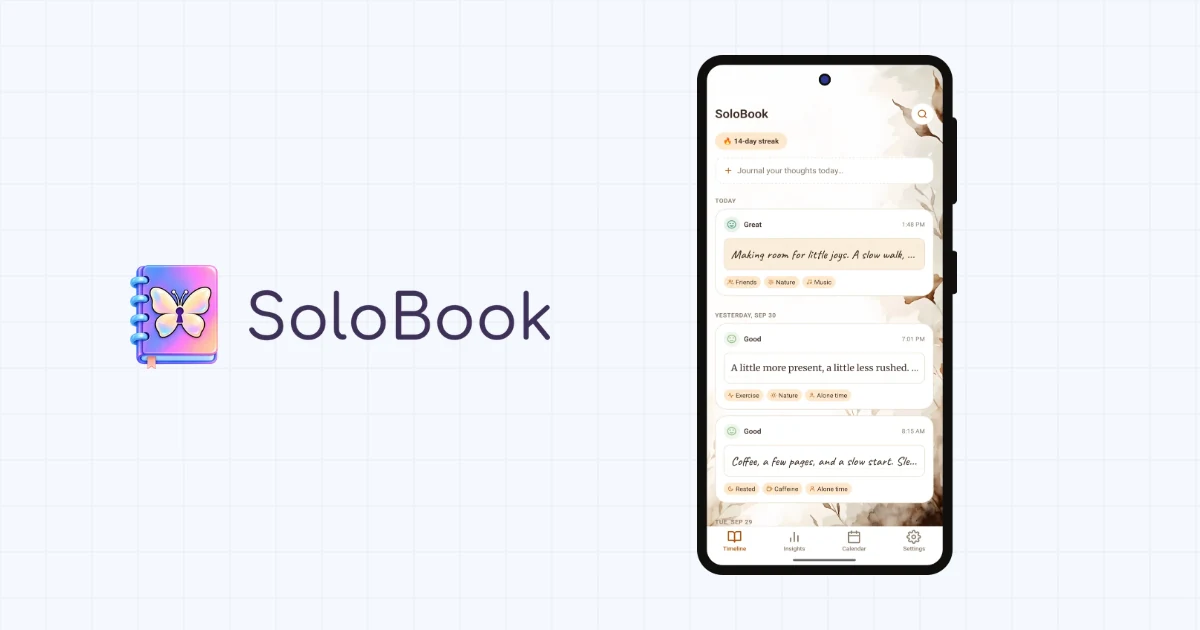
SoloBook is a private diary and mood tracker for Android. You log how you feel in a few taps, write on lined or vintage paper when you have more to say, and over time the app shows you what tends to lift your mood and what drags it down. People use it as a daily journal, a secret diary, or a gratitude log. It works offline, and there is no account, no backend, and no journal sync.
The thing people search for most in this category is a "diary with lock". It is a fair request, and SoloBook has one. But the PIN screen is the smallest part of keeping a diary private. What decides it is where the words are stored, who holds the key, and what leaves the phone. Here is how each of those works in SoloBook, and where each one stops.
The lock is the part you see
You can set a 4 to 6 digit PIN and add biometric unlock, such as your fingerprint, on top. Five wrong guesses start a wait, and every further miss doubles it, up to five minutes. A forgotten PIN is recovered through biometrics or a security question you picked. The PIN and that answer are stored only as hashes in the phone's secure storage, and neither ever goes into a backup. When you switch away from the app, it hides your journal so the recent-apps preview has nothing readable on it.
A lock is a gate in the interface, though. Anyone who copies the app's storage walks straight around it. So the journal itself is encrypted.
Where the key lives
Entries, moods, factors, and the full-text search index live in a SQLCipher database encrypted with AES-256. The key is a random 256-bit value generated on the phone and held in secure storage backed by the Android Keystore. It never leaves the device, and it never reaches us. An installed build stops rather than fall back to an unencrypted database.
Photos are handled separately. Each photo you attach is resized and stored as its own file, sealed with AES-256-GCM under a key derived from the database key, and decrypted only in memory while it is on screen. The app picks photos through Android's photo picker, which hands over only the images you choose, and the originals in your gallery stay untouched.
Where the encryption stops
Not every file is encrypted. Appearance settings such as your theme, paper, and font, your reminder times, and a little app metadata sit in ordinary app storage. None of it contains an entry, a mood, or a photo, but it is outside the encrypted journal, and saying so is better than implying otherwise.
Encryption protects data at rest. It does nothing for an open app. Anyone holding your unlocked phone while SoloBook is open can read what is on the screen. That is the job of the app lock, and it is why we suggest turning it on if anyone else ever picks up your phone.
Insights that stay on the phone
The insights are calculated on the device: mood trends over 7, 30, or 90 days, the words that come up on good days and on hard ones, the difference a factor like sleep or caffeine seems to make once there are enough entries to compare, and the Year in Pixels calendar. No AI reads your entries, and nothing is sent anywhere to be analysed. What you get back are patterns in your own journal, not diagnoses, and the app presents them that way.
Backups only you can open
A journal that lives on one phone dies with it, so backup is free on every tier. A SoloBook backup is a single file holding your entries, factors, photos, and portable preferences. The phone seals it with AES-256-GCM under a key derived from a passphrase you choose, using scrypt, and each file gets its own key on top of that. The readable header carries only format versions, a creation time, and the public parameters needed to derive the key.
You choose where the file goes. Android's own folder picker can point it at internal storage, an SD card, or a USB drive, and SoloBook gets access to that one folder and nothing else on the device. Or you can connect Google Drive, where the app asks for Google's per-file scope: it sees only the files it creates or that you hand it, in a visible SoloBook Backups folder, and none of the rest of your Drive. The file travels from your phone to Google already encrypted and passes through no server of ours, because we do not run one.
Each destination keeps only the newest backup. Daily backup, if you turn it on, does not run in the background. It checks when you open the app after a day has passed, and writes a new file when something has changed or the last one has gone missing.
The trade is deliberate. We never see or store your passphrase, so there is no reset link. Lose the passphrase and the backup cannot be opened, by you or by us. Lose the phone without a backup and the journal is gone, because its key stayed with the old hardware. Restoring on a new phone replaces whatever the app holds, after two confirmations and a short delay, and it switches the lock off so you can set your PIN again.
What leaves the phone
"We never read your diary" costs nothing to write. So here is the complete list of what SoloBook sends anywhere.
Google AdMob, in the free version. The Google Mobile Ads SDK may collect your advertising identifier and app set ID, approximate location derived from your IP address, device and app information such as model and OS version, diagnostic information such as launch time and hang rate, and your interactions with the ads, such as impressions and clicks. Google uses that for advertising, analytics, and fraud prevention, and ads are filled through Google and selected third-party ad technology providers, which act as independent controllers under their own privacy policies. Your entries, moods, factors, photos, and keywords are never sent to AdMob, never used for targeting, and never included in an ad request. Where the law asks for consent, including the EEA, the UK, and Switzerland, the app asks before showing personalized ads, and Ad Privacy Choices in Settings lets you change your answer later.
Google Play Billing. If you buy Premium, which removes the ads and nothing else, Google processes the payment. We never see your card or your account details. The app receives only the entitlement it needs to switch ads off, checks it on the device, and stores it there. For Premium users, the ads SDK is never started at all.
Google Drive, if you connect it. One encrypted file at a time, going to your own account because you asked for it.
That is the whole list. There is no analytics SDK, no crash reporter, and no push service: reminders are scheduled by Android on the phone itself. Under California law, showing personalized ads may count as "sharing" personal information even when no money changes hands, and we would rather write that down than lean on a narrow reading of "sell". The full privacy policy covers every category of data the app stores and how to erase all of it.
A journal, not a therapist
SoloBook is a personal journal. It is not a medical device or a mental-health service, and its insights describe your own entries rather than assess your health. If you are struggling, the If You're Struggling page under Settings › About lists free, confidential crisis lines. In an emergency, contact your local emergency services.
The general lesson
A lock screen is the feature people ask for, and it is the cheapest one to build. Whether a diary is actually private gets decided underneath it, in where the file lives and who holds its key. For a journal, our answer is to hold nothing ourselves, and to say plainly what that costs: a passphrase nobody can reset, and a few settings that sit outside the encryption.
You can read more about the app, and install it, from the SoloBook page.